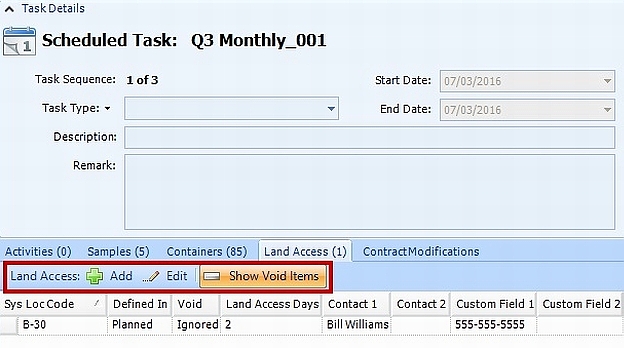
Land access requirements on a scheduled task are inherited from requirements set for a location either at the planned task level or for the entire facility. Learn more by reading the articles Define Land Access for Planned Task and Define Land Access for Facility. Users may also modify land access requirements on individual scheduled tasks by following these steps:
1.Log SPM in to a facility.
2.Open a Plan.
3.Select the Scheduled Tasks tab on the lower portion of the main SPM screen.
4.Double-click on a scheduled task to open its details.
5.Click the Land Access tab.
Users can add new land access requirements or edit existing requirements. Click Show Void Items to display land access records that have been set to be ignored for that planned task.