The status of SPM Land Access requirements can be viewed and edited after these requirements have been defined for planned/scheduled SPM tasks. Learn more by reading the articles Define Land Access for Planned Task and Define Land Access for Scheduled Task.
For SPM tasks with land access requirements, use the Land Access Status dialog window to indicate if the land access requirements have been accepted, rejected, modified, or ignored. SPM tasks with an "Accepted" land access status will be included in SPM Land Access reports.
Update Land Access Status
To set the status of land access requirements:
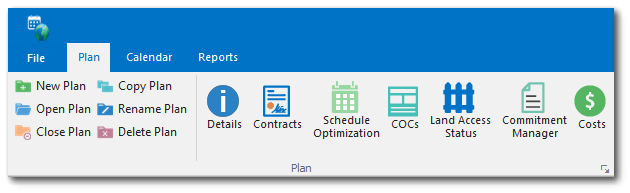
1.Click the Land Access Status button on the Plan ribbon to open the Land Access Status window.
2.Select the desired Status Date of the scheduled task in the bottom left corner of the window.
3.Select the desired Land Access Status Data record.
4.Click the Update button to open the Land Access Status editor and make changes as needed.
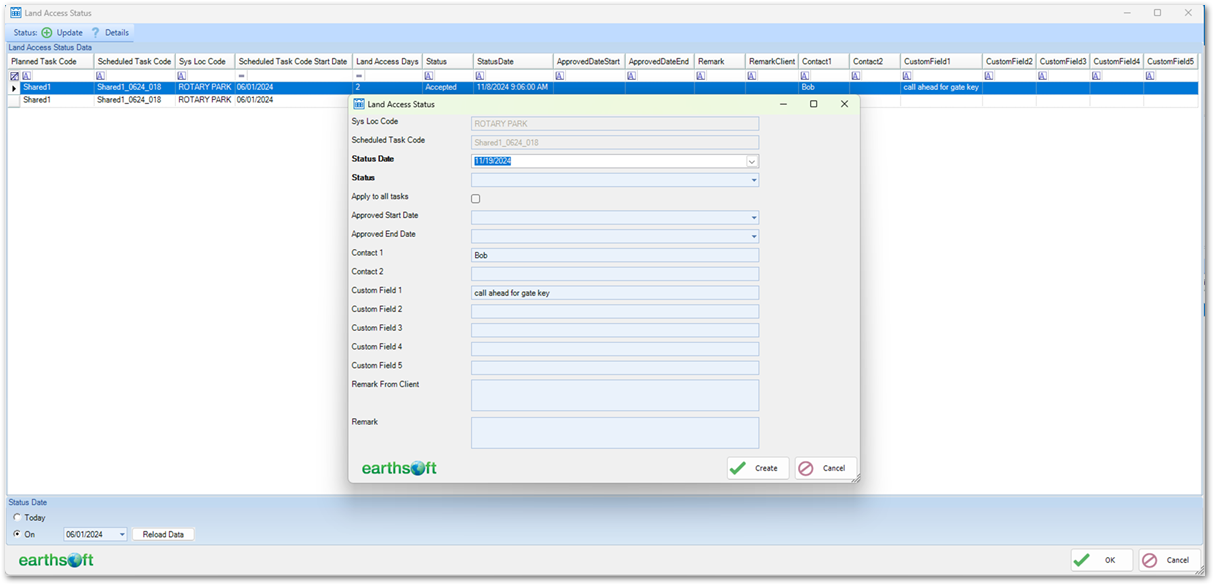
To see the Land Access Status History for a specific task code, select the Land Access Status Data record for the task code and click the Details button.