•Updating an Existing Database
Installing EQuIS Alive
Installation of EQuIS Alive involves installing the program and updating an existing database with the Alive Schema.
To install EQuIS Alive, select the Alive module during the installation of EQuIS Professional. If EQuIS Professional is already installed, the installer can be run again to add the Alive module.
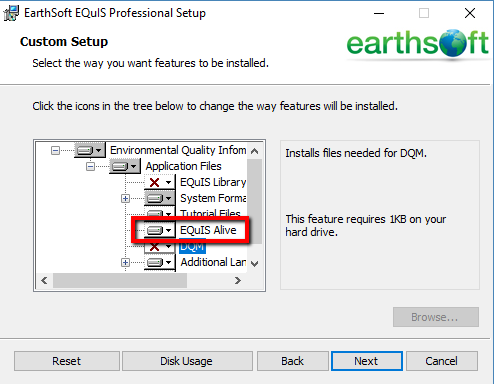
When complete, verify that the EarthSoft.Forms.Library.76296.dll file (Alive Survey Definition Form) is in the EQuIS Professional folder (e.g., C:\Program Files\EarthSoft\EQuIS).
Update an Existing Database
Update the database by applying the Schema.Alive.xme. Follow the updating database steps in the help article Update EQuIS Database.
Import Reference Values
Refer to the Alive-refvals Format article for details.
Reports
The 10 standard reports for EQuIS Alive and their associated DLLs are listed below.
Report(s) that run from the EarthSoft.Reports.Library.77456.dll:
Report(s) that run from the EarthSoft.Reports.Library.77486.dll:
•Survey Results (by Survey Type)
Report(s) that run from the EarthSoft.Reports.Library.77495.dll:
•Species Density: Species per Subfacility
•Species Density: Species per Total Population by Subfacility
•Species Density: Species per Total Population
Report(s) that run from the EarthSoft.Reports.Library.77764.dll:
•Google Earth: Species Observation Points (XYZ Plot)
Report(s) that run from the EarthSoft.Reports.Library.105511.dll:
Report(s) that run from the EarthSoft.Reports.Library.175776.dll:
•Survey Results (by Survey Type) II
Forms
The two standard forms for EQuIS Alive and their associated DLLs are listed below.
EarthSoft.Forms.Library.76296.dll – Alive Survey Definition Form, available from the EQuIS Professional Decision Support tab if the Alive license has been selected.
EarthSoft.Forms.Library.77176.dll – Site Activities, available from Open > Forms on the EQuIS Professional Home ribbon.